How to Put a Stylish Name on Facebook (Fonts It Accepts & Name Rules)
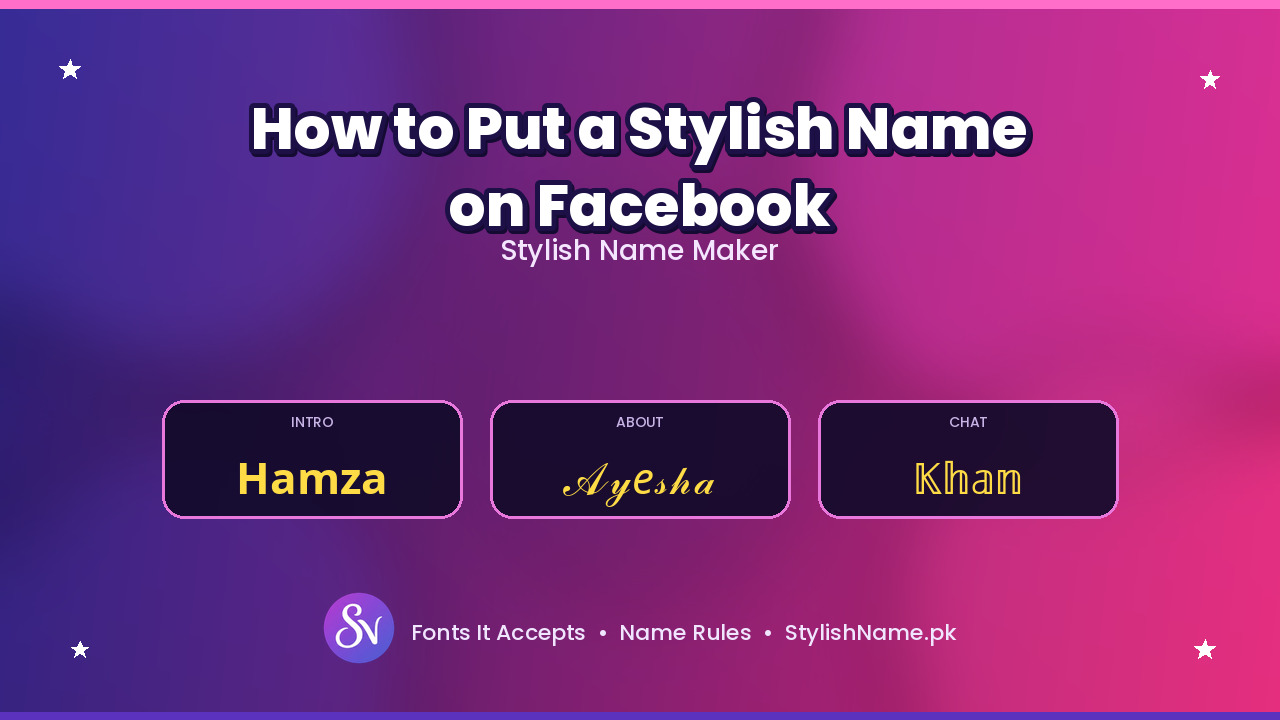
You see fancy letters in Facebook comments and bios every day. Then you paste the same style into your profile name, and Facebook rejects it, asks for an ID, or puts your old name back. That is not a glitch. Facebook treats your profile name differently from the rest of your profile.
This guide explains which names Facebook officially allows, how a nickname and a Page name differ from your profile name, and where stylish fonts still work. The rules and menu steps come from Facebook's Help Center, with examples such as Ali, Hamza, Ayesha, Fatima, Hira and Khan.
Stylish names on Facebook: what works and what gets rejected
Facebook's official help page, "Names allowed on Facebook", says Facebook is a community where everyone uses the name they use in everyday life. That is why a name that looks fine in a comment can still fail in the profile name box. The same page lists what is not allowed in names:
- Symbols, numbers, unusual capitalization, repeating characters or punctuation.
- Characters from multiple languages.
- Titles of any kind (Facebook's examples are professional or religious titles).
- Words or phrases instead of a name.
- Offensive or suggestive words of any kind.
A regular name such as Hamza Ali, Ayesha Khan, Fatima or Hira is what the profile field is built for. Styles such as 𝐇𝐚𝐦𝐳𝐚, ★Ali★, H4MZA, aLi, Aliiii or "Khan Official" are the kind of input those rules are meant to stop. Mixing English letters with Urdu script in the same name field is also listed as not allowed.
Two official notes are easy to miss. A nickname can be used as a first or middle name if it is a variation of your authentic name (Facebook's example is Bob instead of Robert). In Pakistan, that might mean Ali if that is already what people call you, not a decorated gaming tag. You can also list another name, such as a maiden name or a nickname, in the Other names section. Facebook also says the name on your profile should appear on an ID or a document from its accepted ID list. For a broader primer, see what stylish names are and how they are used.
Profile name vs nickname vs Page name vs About
People often say "Facebook name" when they mean four different things, and the rules are not the same for each one.
Your profile name is the name at the top of your personal profile. It has to follow the name standards above. This is the field Facebook may review, limit to one change every 60 days, or ask you to confirm with an ID.
Other names, including a nickname, are extra names on the same profile. Facebook's help says you can list a name that is different from the name on your ID, such as a maiden name, a nickname or a professional title. Tick Show at top of profile if you want it to appear next to your full name. It should still be a real additional name, not a string of symbols.
A Page name is for a Facebook Page (a shop, a creator page or a local business), not a personal profile. Facebook's "Guidelines for Facebook Page names" say Page names should be simple, specific and grammatically correct. They should not use abusive terms, the word "official" without authorization, improper capitalization, symbols, unnecessary punctuation, slogans, or Meta or Facebook product names. "Hira's Stitch House" fits that spirit; "★HIRA OFFICIAL★ Best Designs" does not.
Intro, About, posts and comments do not go through the same real-name check. This is usually where a Facebook stylish name maker style stays visible. A Messenger chat nickname is different again: it only appears inside that chat and does not change your profile name.
How to change your Facebook name on Android and iPhone
Facebook says you can change your profile name every 60 days. If you changed it in the last 60 days, you have to wait until that period has passed. Facebook is also gradually updating people to Meta Accounts, so you may see either Accounts Center or Meta Account settings. If your app shows Meta Account settings, look for the same Name option there.
Change your profile name (Accounts Center)
These are the official computer steps from Facebook's "How to change your name on Facebook" help page:
- Click your profile picture in the top right of Facebook.
- Select Settings & privacy, then click Settings.
- Click Accounts Center.
- Click Profiles, then click your account.
- Click Name.
- Enter your name and click Review change.
- Click Save changes.
On Android and iPhone the path is the same once you open settings. In the Facebook app, tap Menu (on Android, official help places this in the top left). Scroll to Settings & privacy, then Settings. Tap Accounts Center, tap Profiles, tap your account, then tap Name. Enter your name, tap Review change, and tap Save changes. Type Hamza, Ayesha or Fatima in ordinary letters. Do not paste a stylish version here unless you are prepared for a rejection or a review.
Add a nickname under Other names
If you want a second name to show on your profile, add it as an Other name. This does not replace your main profile name. On Android, Facebook's help lists these steps:
- Tap Menu in the top left of Facebook.
- Tap your name again, inside the profile.
- Scroll down to Other names and tap Add other name.
- Select the type of name you want to add from the drop-down menu.
- Enter your other name.
- Check Show at top of profile if you want it listed on your profile.
- Tap Save.
On a computer, click your profile picture in the top right, then click your name to open your profile. Click About, then Details about you. Below Other names, click Add a nickname, a birth name..., choose the name type, enter the name, check Show at top of profile if you want it shown next to your full name, and click Save. The same Other names section is available on iPhone: open your profile, find Other names, add the name, and use Show at top of profile if you want it visible at the top. Keep this field readable — "Hira" or a maiden name will make sense to friends, while a long decorative string is more likely to cause trouble.
Fonts and symbols more likely to pass, and ones that trigger a review
Facebook does not publish a list of approved fonts. It publishes name standards: symbols, unusual capitalization, repeating characters, punctuation, numbers and characters from multiple languages are not allowed in the profile name. Most stylish fonts replace ordinary letters with special Unicode characters. To Facebook's name check, 𝐇𝐚𝐦𝐳𝐚 or 𝒜𝓎𝑒𝓈𝒽𝒶 often looks like a symbol or unusual capitalization, not "Hamza" or "Ayesha" in a prettier jacket.
In the profile name field, the styles more likely to be accepted are the plain ones: your everyday name in ordinary A–Z letters (Ali Khan, Fatima Ahmed), a short real nickname if it is a variation of your authentic name, and normal capitalization (Hamza, not hAMZA or HaMzA).
These styles are more likely to be rejected or sent for review:
- Fancy Unicode fonts, including bold, script, italic and outline letters (𝐇𝐚𝐦𝐳𝐚, 𝓐𝔂𝓮𝓼𝓱𝓪, 𝔽𝕒𝕥𝕚𝕞𝕒).
- Symbols around the name, such as stars, crowns, hearts or punctuation (★Khan★, ◆Hira◆).
- Numbers used as letters (H4mza, A1i), or repeating characters and extra punctuation (Aliiii, Ayesha...).
- English and Urdu script mixed in the same name, or titles and slogans such as Dr, Official, or a phrase in place of a name.
Other names is meant for a nickname or another real name, not a heavy frame of symbols. If you want the decorative version, make it with a stylish name maker and use it in Intro, About, a post or a comment. Also check how it looks: some phones show stylish letters correctly, while others show empty boxes (▯▯▯). Our guide to why fancy fonts show as boxes explains that issue. You can also build a cleaner version from our stylish letters, symbols or stylish keyboard pages, then test it in a draft post.
Why Facebook may ask for an ID or reverse a name
When a name does not follow the standards, Facebook can refuse the change or restore the previous name. Its help on reasons you cannot change your name points to the two issues most people meet: the new name does not meet the standards, or you already changed your name in the last 60 days.
Facebook may also ask you to confirm the name you use in everyday life. The "Names on Facebook" help page says you may need to upload an ID or another accepted document that shows that name. In plain language, Facebook wants the name friends already use for you, and it may ask for a document that shows the same name.
Facebook accepts a government-issued ID that includes your name plus either your date of birth or a photo. Official examples include a driver's license, a national identity card, a passport and a birth certificate. In Pakistan, a CNIC or a passport is the usual option. Only send a document through Facebook's official screens, and only when Facebook asks for it. Facebook says the ID is stored securely and is not shown on your profile, to friends or to other users. It is used to verify your identity, and may also help detect fake IDs, scams, phishing, fraud and impersonation. A photo can still be rejected if it is blurry, poorly lit, a screenshot or a photocopy, missing required details, or does not show the full ID.
Do not try to get around the rules with a fake ID, an edited photo, or a trick spelling. If Facebook asks you to confirm your name, use your real everyday name and a genuine document. If you only wanted a stylish look, leave the profile name as it is and move the decoration to Intro, About or Messenger. Changing a Page name is a separate process: you need Facebook access to the Page (task access is not enough), and you should follow the Page name guidelines rather than pasting a stylish font into a Page title.
Where stylish text always works
If the profile name field is strict, the rest of Facebook is much more open. This is where a stylish name is actually useful.
Intro and About. Your Intro and the wider About section usually accept copied fonts and symbols. A short, readable line works better than a long block of heavy script that some phones will display as boxes.
Posts and comments. You can paste stylish text into a post, a comment or a reply. It does not pass through the profile name review. If you also use Instagram, pick a style on our Instagram names page — Instagram has its own display name and username fields.
Messenger chat nicknames. Messenger lets you set a custom nickname for people in a chat. This nickname is only for that conversation and does not change anyone's Facebook profile name. Facebook's official help, "Set a nickname for someone in your chat on Messenger", gives these computer steps:
- Go to facebook.com/messages.
- Open a conversation.
- On the right, click Customize Chat, then click Edit Nicknames.
- Click the name of the person whose name you want to edit.
- Type the nickname and click Save.
Facebook also notes that anyone in the chat can choose a nickname. If a font shows as boxes for someone in the thread, switch to a simpler style. We keep thousands of styles on the homepage, so you can try a few, paste one into a draft, and keep the version that stays clear on a phone.
Frequently asked questions
How often can I change my Facebook profile name?
Facebook says you can change your profile name every 60 days. If you changed it recently, you have to wait until those 60 days have passed. Decide on a real, everyday name first, and keep stylish fonts for Intro, About, posts, comments or Messenger.
Can I use fancy fonts or symbols in my Facebook profile name?
Not in the main profile name. Facebook's name standards do not allow symbols, numbers, unusual capitalization, repeating characters or punctuation, or characters from multiple languages. Fancy Unicode fonts such as 𝐇𝐚𝐦𝐳𝐚 or ★Ali★ are likely to be rejected or reviewed. Paste stylish fonts into Intro, About, posts, comments or a Messenger chat nickname instead.
What should I do if Facebook rejects my name or asks for an ID?
Go back to the name people use for you in everyday life, written in ordinary letters. If Facebook asks for confirmation, use a genuine government-issued ID that shows the same name plus your date of birth or a photo, and upload it only through Facebook's official screens. Do not use a fake ID, an edited photo or a trick spelling.
Is a nickname under Other names the same as my profile name?
No. Your profile name is the official name at the top of your profile and must follow Facebook's name standards. Other names let you add a nickname, maiden name or professional name, and you can tick Show at top of profile so it appears next to your full name.
Do Facebook Pages follow the same name rules as personal profiles?
No. Facebook says Page names should be simple, specific and grammatically correct, with no abusive terms, unauthorized use of "official", improper capitalization, symbols, unnecessary punctuation, slogans, or Meta or Facebook product names. You also need Facebook access to change a Page name; task access is not enough.
Where can I use stylish text on Facebook if my profile name is rejected?
Use it in your Intro and About, in posts and comments, and as a Messenger chat nickname. Those places do not go through the same real-name check as your profile name. A Messenger nickname only appears inside that chat, and anyone in the chat can set one.
Final words
Keep your official Facebook name as the one people use for you in everyday life, in ordinary letters, and change it only when you are ready to wait 60 days before the next edit. Use Other names for a real nickname, and put decorative fonts in Intro, About, posts, comments or a Messenger chat nickname. For a style that is ready to paste, open the stylish name maker or the Facebook names page, pick a clear style, and keep the profile name itself simple.